 DASH:Gen
What you get
A Power BI project folder (.pbip) or a template (.pbit). Inside are
the Power Query steps that load your data, a model with the relationships worked out, DAX
measures for the things worth measuring, and report pages with the visuals laid out and
themed.
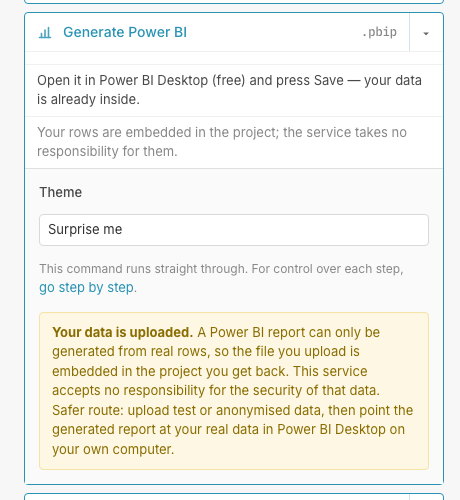
You open it in Power BI Desktop — the free download from Microsoft — and save it there. Everything is editable: it is a normal project, not a locked export.
Why never a .pbix: that format keeps its model in a binary
part only Power BI Desktop itself can write, so a generated one would be a file Desktop
refuses to open. The project and template formats are text, documented, and open cleanly
— which is why they are what you get.
How it works
- Upload the file. Excel, CSV, TSV, or any other format the platform reads.
- Describe the report in a sentence, or go step by step to see each stage.
- Choose a look. Twenty themes ship with it, and you can pin your own visual templates per chart type. Choosing either costs nothing.
- Download, and open it in Desktop.
Step by step, if you prefer
The draft flow runs four stages in order — Power Query, then the model, then the measures, then the report — and shows you each before the next. The first two are deterministic and run no agent at all. Re-running a stage clears the ones after it, so you never end up with measures written against a model you have since changed.
Nothing is sent to Power BI
There is no connection to the Power BI service: no workspace, no tenant, no credentials. The result is a file you download and open yourself.
What it costs: see the price list. One Power BI dashboard a day needs no account.
Questions
Does DASH:Gen generate a .pbix file from CSV or Excel?
No, and on purpose. DASH:Gen generates a Power BI project (.pbip) or template (.pbit), because a .pbix keeps its model in a binary part only Power BI Desktop can write. You open the project in Power BI Desktop, the free download from Microsoft, and save it there as a .pbix.
Does DASH:Gen support DAX measures and custom Power BI themes?
Yes. DASH:Gen writes DAX measures into the model, each with a one-line description and a display folder, and lays out the report pages in one of twenty built-in themes. With an account you can keep your own themes and per-visual templates in the library and pick them for a report; choosing either costs nothing. See Power BI templates.
How does DASH:Gen compare to Microsoft Copilot in Power BI?
Copilot works inside Power BI on a model that already exists and needs a paid Fabric or Premium capacity. DASH:Gen builds the first model and report from a file, outside Power BI, and never connects to your tenant. The full comparison has the details and the date they were checked.
Does DASH:Gen send anything to the Power BI service?
No. DASH:Gen connects to no workspace and no tenant and asks for no credentials: the result is a file you download and open yourself.
Can I see each stage in DASH:Gen before the next one runs?
Yes. The step-by-step route runs Power Query, the model, the measures and the report in order and shows each before the next. Re-running a stage clears the ones after it.