 DASH:Gen
What you get
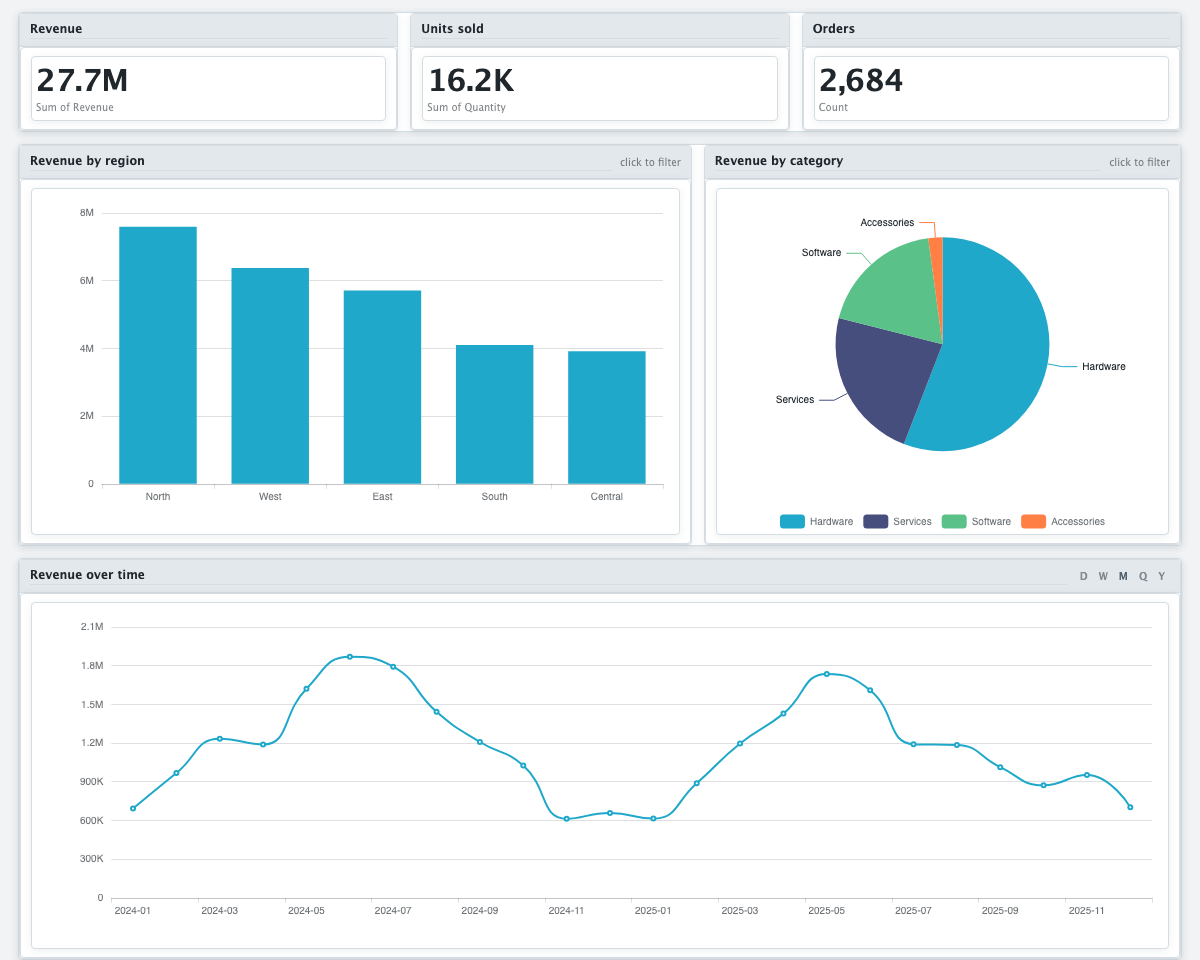
A single .html file: the dashboard and your data together. Open it by
double-clicking. Inside are KPI tiles, charts, a filter bar, a searchable data table and
cross-filtering — click a bar and every other chart follows. All of it is computed in
the browser from the rows embedded in the file.
Nothing in the file points anywhere outside it. No CDN, no web fonts, no tracking, no call home. It works on a laptop in aeroplane mode and on a machine behind a firewall that allows nothing, and it will still work years from now, because there is no service for it to depend on.
How it works
- Drop the file in. CSV, TSV, plain text, or the gzip form of any of them.
- Say what you want to see. One sentence is enough — “revenue by region and the trend by month” tells the agents which columns matter.
- Press Generate HTML. Two agents read the columns, decide what is worth measuring, and design the dashboard from it.
- Download it. That file is the finished dashboard. There is no next step.
Changing it afterwards
A finished dashboard can be rebuilt into another version without uploading the file again: another theme, a different chart type, or a new instruction. The first two run no agent and cost nothing.
What it reads
Besides CSV and TSV: Excel (.xlsx, .xlsm, .xls),
OpenDocument (.ods), JSON, JSON Lines, XML and Parquet. A workbook with several
sheets is read one sheet at a time.
What it costs: see the price list. Three dashboards need no account at all.
Questions
Does a DASH:Gen HTML dashboard need a server or an internet connection?
No. A DASH:Gen HTML dashboard carries its rows and everything it needs to draw them: no CDN, no web fonts, no tracking. It opens in any browser, in aeroplane mode too.
Which file formats can DASH:Gen turn into a dashboard?
DASH:Gen reads CSV and TSV, and besides them Excel (.xlsx, .xlsm, .xls), OpenDocument (.ods), JSON, JSON Lines, XML and Parquet. Upload formats has the details.
Can I change a DASH:Gen dashboard after it is generated?
Yes, without uploading the file again: another theme, another chart type, or a new instruction. The first two run no agent and cost nothing.
How much does DASH:Gen cost?
With DASH:Gen, three HTML dashboards a day need no account at all. Beyond them, the price list has the current price of one.