 DASH:Gen
Every example below comes with the CSV it was built from and the sentence the window fills in when you pick that sample. Nothing here needs an account: open one, click a bar and watch the other charts follow, then press Make this from my file to open the window with the same sample loaded.
The dashboards are single HTML files, the same kind the HTML generator gives you. The same file can also become a Power BI report or an Apache Superset bundle.
-
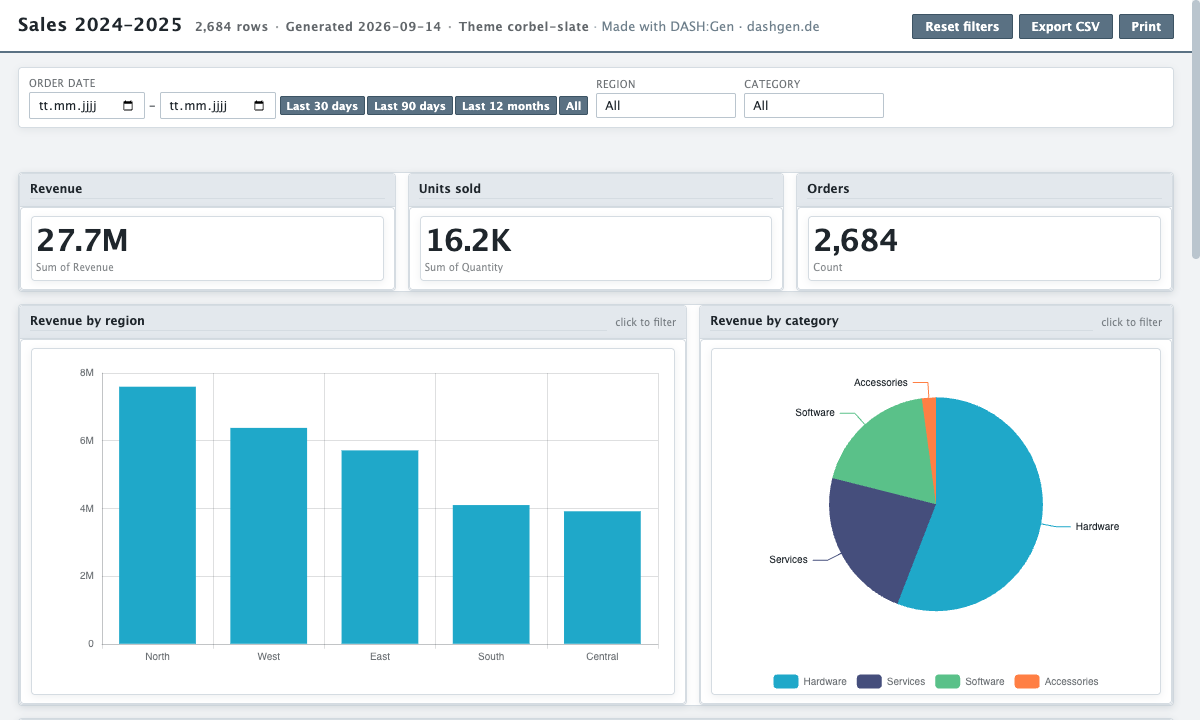
Sales dashboard from a CSV file
A sales dashboard built from a 2,684-row CSV: revenue by region, category and product, the monthly trend, and a searchable order table.
7 columns, 2,684 rows
-
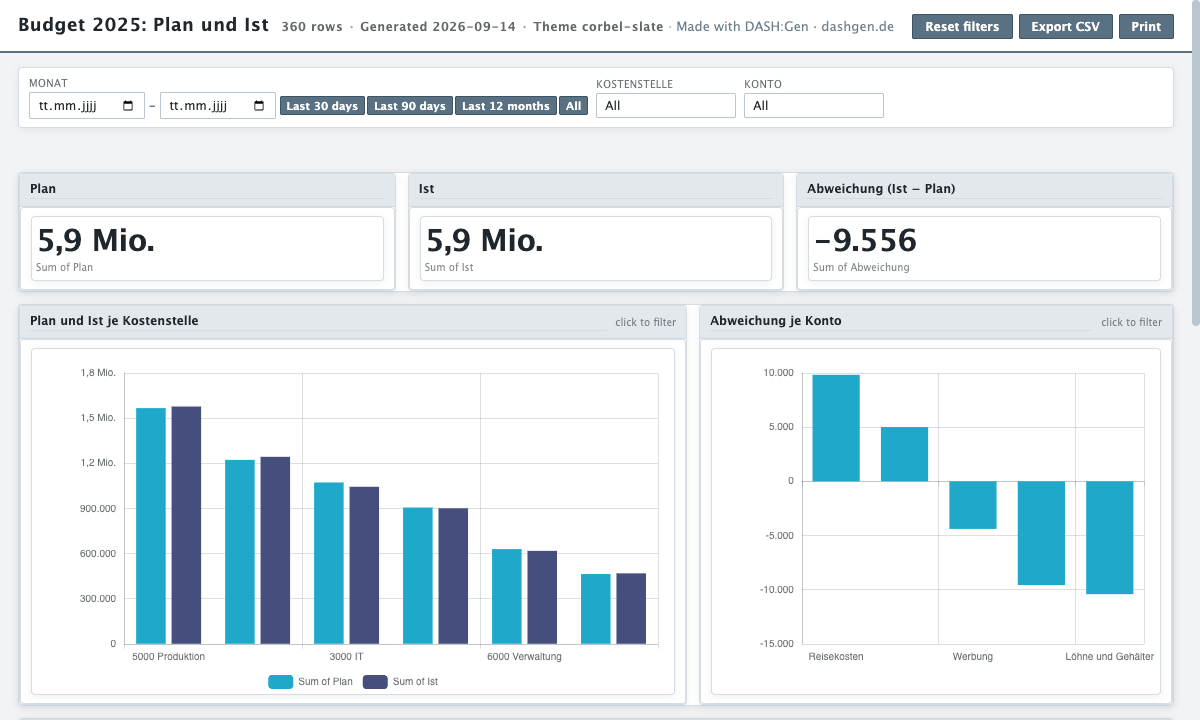
Plan-Ist-Vergleich aus einem Budget-Export
Ein Plan-Ist-Dashboard aus einem Budget-Export: Plan, Ist und Abweichung je Kostenstelle, Konto und Monat, als eine HTML-Datei zum Filtern.
7 columns, 360 rows
-
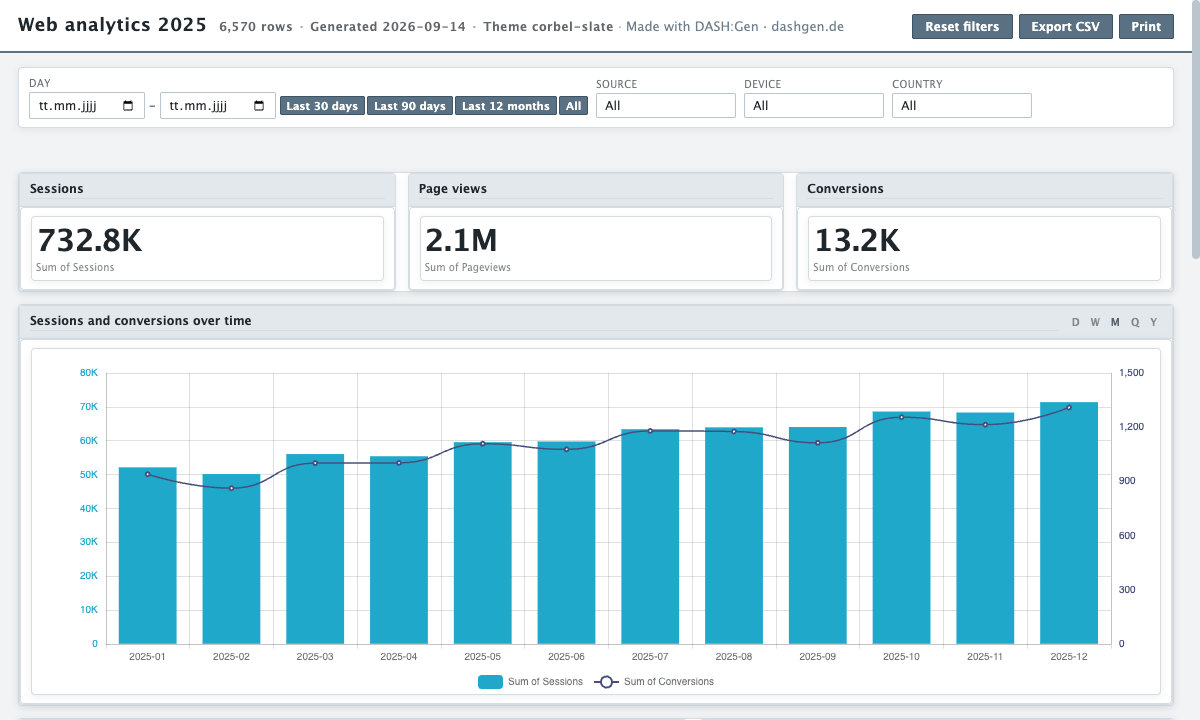
Web analytics dashboard from a traffic export
A web analytics dashboard built from a daily traffic export: sessions and conversions by source, device and country, with the trend over the year.
7 columns, 6,570 rows
-
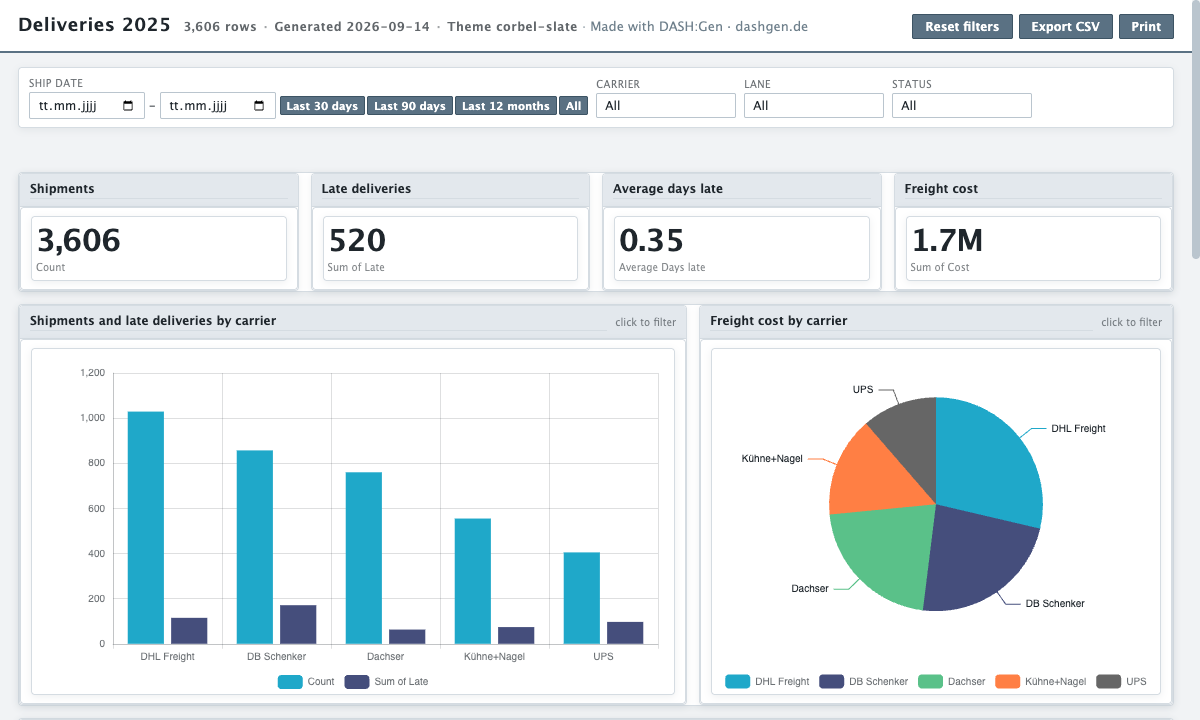
Delivery performance dashboard from a shipment export
A delivery dashboard built from a shipment export: on-time performance by carrier and lane, freight cost, and the late deliveries over the year.
11 columns, 3,606 rows
Try it without an account
Three HTML dashboards, one Power BI report and one Apache Superset bundle a day need no sign-up and no card. No file to hand? Pick Sales under the drop zone.
Open DASH:Gen