 DASH:Gen
What you need
A delimited text file and a browser. The delimiter is detected — comma, semicolon or
tab — so a CSV exported from a German Excel works as it is. TSV, plain
.txt and the gzip form of any of them (.csv.gz) are read the same
way. The first line has to be the header: a name in every cell, none of them blank or a bare
number. A file that starts with a title line or with data is refused before anything runs.
Step by step
- Open dashgen.de. The window opens straight away — there is no sign-up screen. If you have no file to hand, pick Sales, Web analytics or Headcount under the drop zone.
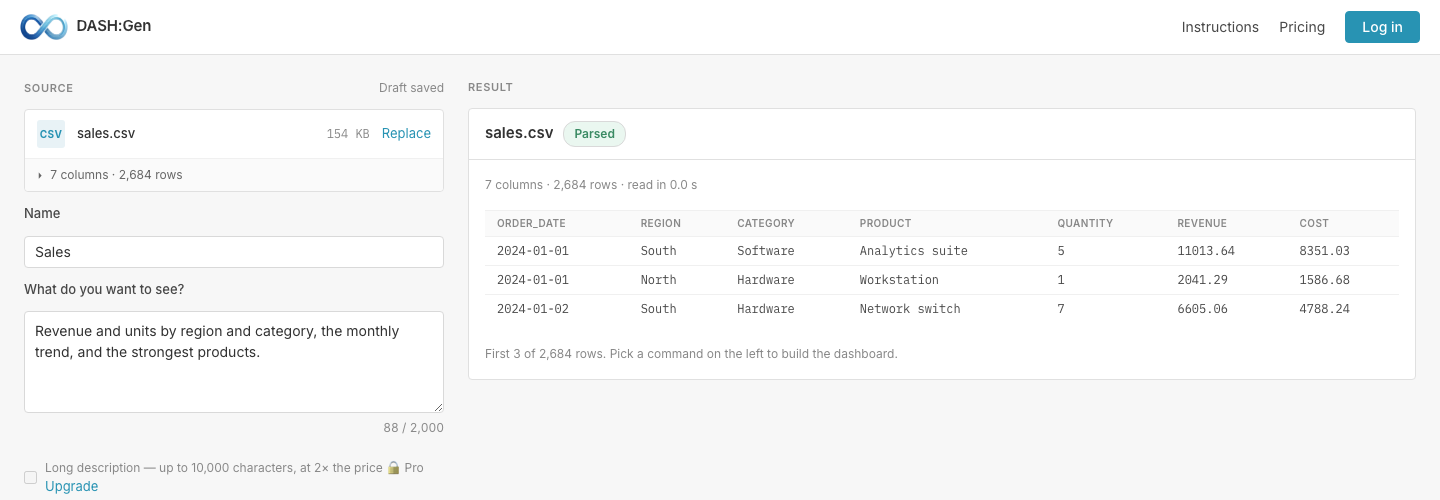
- Drop the CSV in. It is read before anything runs: the right-hand side shows how many columns and rows were found and the first rows as they were understood. If a column looks wrong here, fix the file now — nothing has been spent yet.
- Name it and say what you want to see. One sentence is enough: “revenue and units by region and category, the monthly trend, and the strongest products”. It tells the agents which columns matter.
- Press Generate HTML. The first agent reads the columns and decides what is worth measuring; the second designs the dashboard from that.
- Download the file. Double-click it and it opens in any browser. That file is the finished dashboard — there is no import step and no next tool.
What is in the file
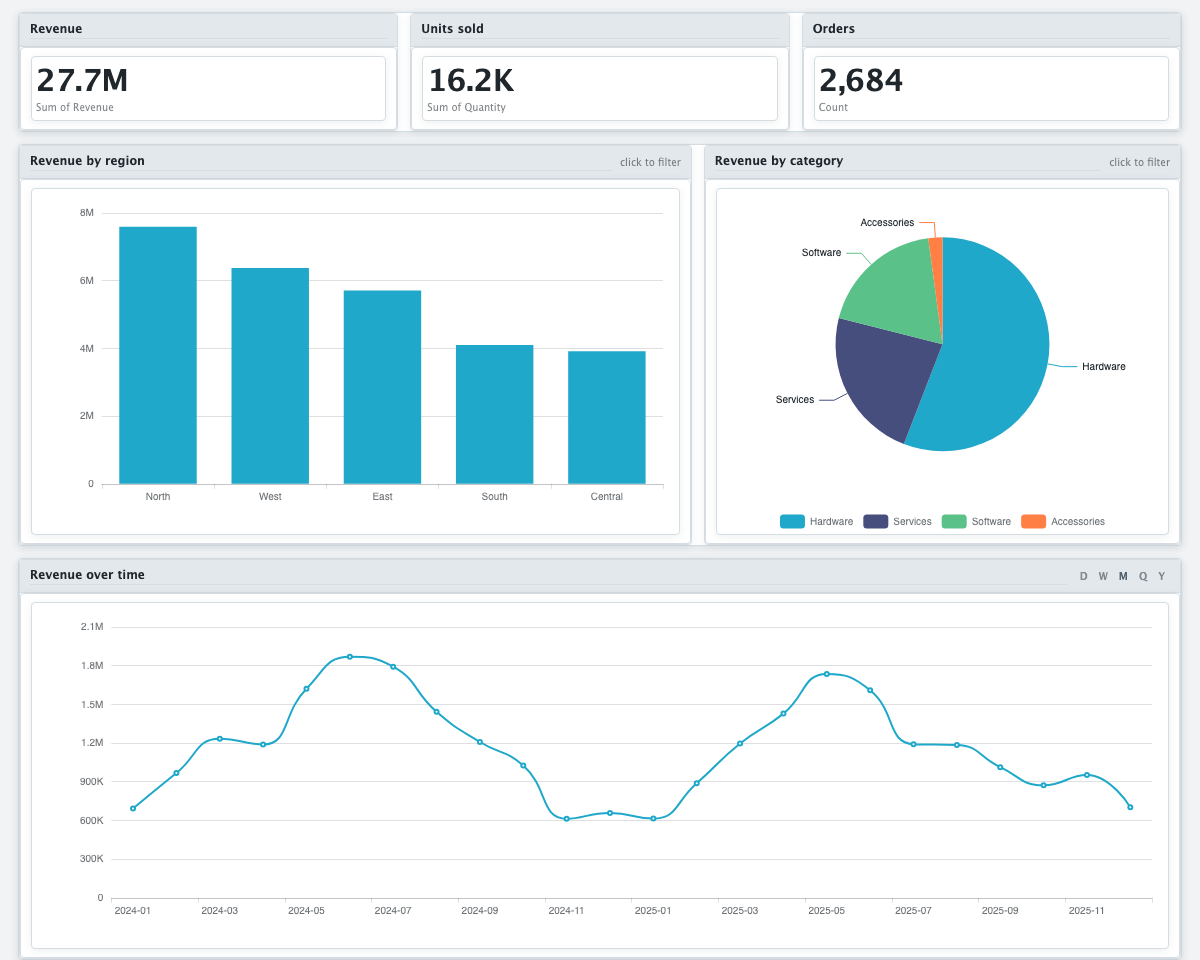
KPI tiles, bar, pie and line charts, a filter bar with date presets, a searchable table paged fifty rows at a time, and buttons to export the filtered rows as CSV or to print. Click a bar or a slice and every other chart follows it; a time chart can be bucketed by day, week, month, quarter or year. All of it is computed in the browser from the rows embedded in the file.
The file references nothing outside itself: no CDN, no web fonts, no tracking. It opens on a laptop in aeroplane mode and on a machine behind a firewall that allows nothing.
Changing it afterwards
A finished dashboard can be rebuilt without uploading the file again — the upload is kept for seven days. Another theme or another chart type runs no agent and costs nothing. A new instruction runs the design agent again and counts as one of the day’s runs.
Before you share it
Your rows are inside the file, so send it only to people who may see the data. What reaches the language model is less: the column names and types, per-column statistics, up to five sample values per column, and your sentence. The rows themselves are never sent to it.
Questions
Does DASH:Gen read a semicolon CSV from a German Excel?
Yes. DASH:Gen detects the delimiter, whether comma, semicolon or tab, so a semicolon CSV works as it is. TSV, plain .txt and .csv.gz are read the same way.
Does DASH:Gen send my rows to the AI model?
No. The model DASH:Gen uses receives the column names and types, statistics per column, up to five sample values per column and your sentence. The rows end up only in the file you download.
How long does DASH:Gen keep my upload?
DASH:Gen keeps the upload for seven days. Within them another theme or chart type costs nothing, and a new instruction counts as one of the day’s runs.
Try it without an account
Three HTML dashboards, one Power BI report and one Apache Superset bundle a day need no sign-up and no card. No file to hand? Pick Sales under the drop zone.
Open DASH:Gen