 DASH:Gen
When this is the right tool
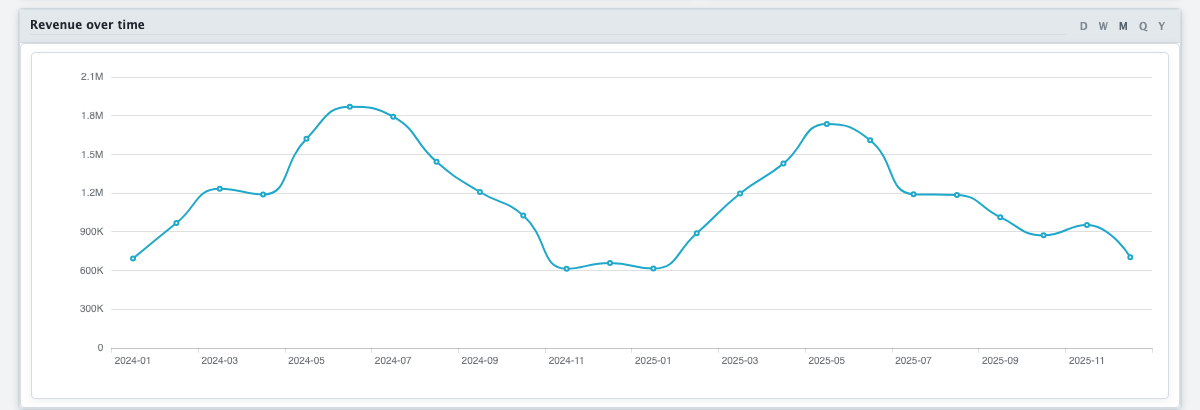
Parquet is what a data team hands over: typed, compact, and unreadable to anybody without a notebook or a query engine. An HTML dashboard turns that extract into something a manager, an auditor or a customer can open by double-clicking, and filter by themselves.
Step by step
- Open dashgen.de and drop the
.parquetfile in. It is read before anything runs, and the columns and first rows are shown. - Name the dashboard and say what you want to see — the figures, what to break them down by, the period.
- Press Generate HTML. One agent decides what is worth measuring, a second designs the dashboard.
- Download the file and send it on, or put it on a share. That file is the whole dashboard.
What “offline” means here
The upload and the design need the service. The result does not: the dashboard, its charts and its rows are one file that references nothing outside itself — no CDN, no web fonts, no tracking, no call home. Filtering, cross-filtering and date bucketing are computed in the browser from the embedded rows, so it works in aeroplane mode, behind a firewall that allows nothing, and years from now.
How big
The HTML dashboard reads up to a million rows and embeds as many as fit the file. The upload limits — without an account, and on each plan — are listed under How it works and on the price list.
What reaches the language model
The column names and types, statistics per column, up to five sample values per column, and your sentence. Not the rows. Those end up in the file you download — so share it only with people who may see the data.
Parquet and the other outputs
Power BI: a project can only carry delimited text or a spreadsheet sheet inside itself, and Parquet is neither. So without an account and on the free plan, where the rows must be embedded, a Parquet file is refused for Power BI; on a paid plan the report can link to it instead, and Power Query reads it at refresh. Apache Superset: upload a dataset export rather than the file — see the Apache Superset guide.
Questions
How many rows can a DASH:Gen HTML dashboard hold?
A DASH:Gen HTML dashboard reads up to a million rows and embeds as many as fit the file. The upload limits are on the price list.
Can DASH:Gen turn a Parquet file into a Power BI report?
Only as a linked source on a paid plan, where Power Query reads it at refresh. Where the rows must be embedded in the project, Parquet is refused.
Does a DASH:Gen dashboard call any server when it opens?
No. It references nothing outside itself, so filtering and date bucketing work in aeroplane mode and behind a firewall that allows nothing.
Try it without an account
Three HTML dashboards, one Power BI report and one Apache Superset bundle a day need no sign-up and no card. No file to hand? Pick Sales under the drop zone.
Open DASH:Gen