 DASH:Gen
What is read
.xls (Excel 97–2003), .ods (LibreOffice, OpenOffice), and the
current .xlsx and .xlsm. A workbook is recognised by its content,
not its name, so a file with the wrong extension is still read or refused for what it is.
Not read: .xlsb — save it as .xlsx. Apple Numbers and Google
Sheets have no file to upload; export them to .xlsx. A password-protected
workbook is refused with a sentence saying so.
Which sheet, which header row
Hidden sheets are skipped. Of the visible ones, the sheet with the most data rows under a
header is read. The header is the first row, within the first twenty, that has at least two
filled cells and a row under it, so a report title and a blank spacer above the table are
passed over. A header cell left empty becomes column_C rather than shifting the
names after it one place to the left. If the wrong sheet wins, save the one you want as its
own workbook.
What each cell becomes
The same rules for all four formats, so one table gives the same dashboard whichever of them it arrived in.
| In the cell | Reaches the dashboard as |
|---|---|
| A formula | Its calculated result, never the formula text. An error such as #DIV/0! is blank. |
| A date | 2025-03-31, with the time when the format has one; a time-only format gives 14:30:00. |
| A number shown as a plain number | As shown, which keeps 0000123 and a postcode like 01067 intact. |
| A percentage or currency | The underlying value: 12.5% is 0.125, 1.234,50 € is 1234.5. |
| TRUE / FALSE | true / false. |
Step by step
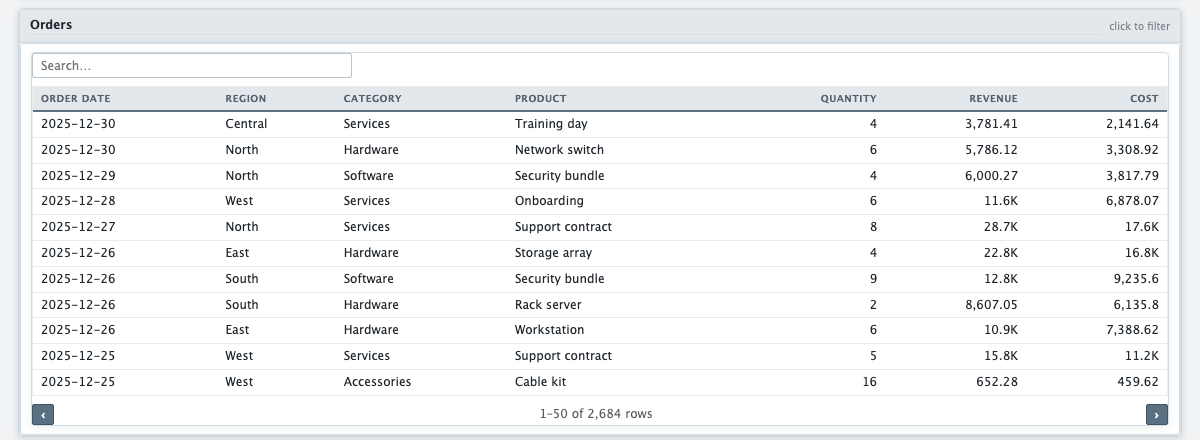
- Open dashgen.de and drop the spreadsheet in. The columns and first rows are shown before anything runs — check the header here.
- Say what you want to see in a sentence.
- Press Generate HTML and download the file. It opens in any browser, offline.
The limits of each format
.xls: the format itself stops at 65,536 rows per sheet. A very
large .xls is refused rather than half-read; saved as .xlsx the same
workbook is read as a stream.
.ods: fine for HTML, and for a Power BI report that carries its
rows inside it. It cannot be a linked Power BI source, because Power Query has no
reader for it — save it as .xlsx for that. See the
Power BI guide.
Questions
Can DASH:Gen read .xlsb or Apple Numbers files?
No. Save a .xlsb as .xlsx; export Numbers and Google Sheets to .xlsx first.
Does DASH:Gen keep leading zeros from a spreadsheet?
Yes. A number shown as a plain number arrives as shown, so 0000123 and a postcode like 01067 stay intact.
Is there a row limit for .xls files in DASH:Gen?
The .xls format itself stops at 65,536 rows per sheet. A very large .xls is refused rather than half-read; saved as .xlsx it is read as a stream.
Try it without an account
Three HTML dashboards, one Power BI report and one Apache Superset bundle a day need no sign-up and no card. No file to hand? Pick Sales under the drop zone.
Open DASH:Gen